


Digital Compass for Android
3.66.00 Reviews
App Specs
- Version
- 1.0.12
- Updated On
- License
- Free
- Downloads
- 50,000+
- Developer
- Big Ocean Studio
- Categories
- Maps & Navigation
- Platform
- Android
Screenshots
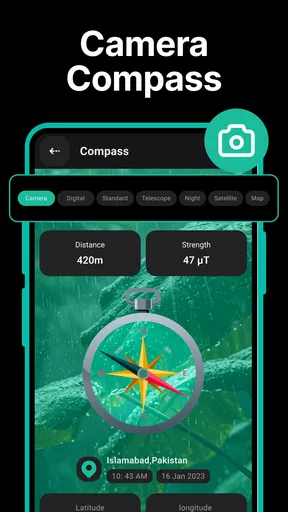
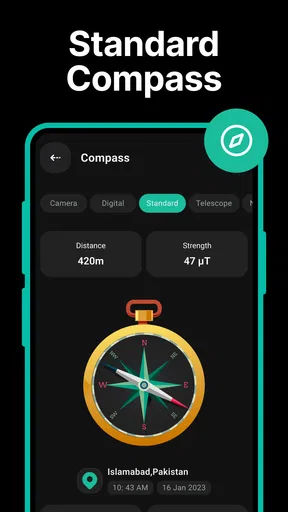
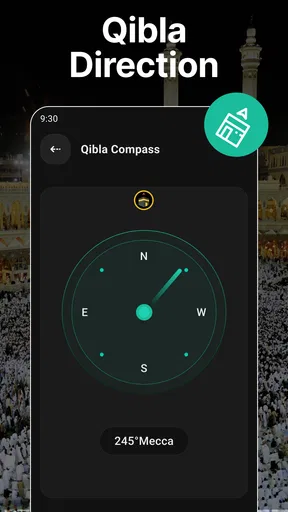
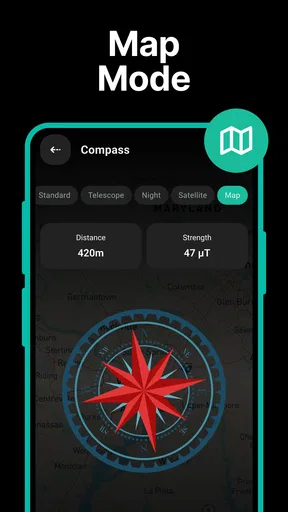
 Analysis by AppCompare
For me, a compass app earns its place on a phone when it answers one small question quickly: which way should I go from here? Digital Compass is built around that simple job, with a compass display and a few useful location tools rather than the layered route planning of a full navigation app. I’d treat it as a handy orientation aid, not as a replacement for a map, a trail guide, or good preparation outdoors.
A simple routine that makes the compass more useful
My most useful approach is to stop, hold the phone steadily, and check the direction before setting off again. A compass reading is easier to act on when I pair it with a visible landmark: I can note that the path I want is roughly east, then keep an eye on the same ridge, street, or sign as I move. That habit is more dependable than repeatedly staring at the screen while walking.
For a short urban walk, I might use the compass to get my bearings after leaving a station or emerging from a building, then switch to a map app for the actual route. On a trail, I’d use the direction as a quick cross-check against the route I already planned. This division of labor matters: Digital Compass is most useful when I need orientation at a glance, while a conventional map is better for deciding where a road or trail leads.
Before relying on a reading
A phone compass can be affected by the environment and by how the device is held, so I don’t assume every reading is immediately trustworthy. If the needle seems erratic, I move away from large metal objects and electronics, hold the phone flat, and give the reading a moment to settle. I also compare it with a landmark or a map rather than treating one number as unquestionable truth.
The app includes a choice between magnetic north and true north. I’d check which reference I’m using before following a bearing: magnetic north is the direction a compass naturally points toward, while true north is tied to the geographic north pole. That distinction is easy to overlook when comparing the screen with a printed map or instructions that use a different reference. The right choice depends on the map and the task, so consistency is more helpful than switching modes casually.
Where the extra tools fit
The GPS map, altitude reading, saved locations, and screenshot sharing give the compass a little more context than a bare dial. I find saved places most practical for simple return trips: a trailhead, a parked car, or a quiet viewpoint can be marked so I have a reference to revisit. That is not the same as a full route planner, though, so I’d still keep a clear idea of how to get back rather than assuming a saved point will guide every step.
Altitude can be interesting on a hike, but I would treat it as supporting information, not a precise measurement to make safety decisions around. Likewise, a screenshot can help me show someone where I am or keep a quick record, but it is not a substitute for sending a clear location through a dedicated sharing tool when someone needs to find me. These features are useful in the right moment; they do not turn a simple compass into a complete outdoor safety system.
Worth Reading Before You Choose

EA SPORTS FC Mobile 26 Is a Bigger Football Game, but It Takes Time

Flipboard Shows What News Apps Must Do Beyond the Feed

Switching to Android Auto Means Rethinking Your Driving Routine

Google Calendar Makes a Crowded Week Easier to Manage

Ludo King Makes the Most of the Minutes Between Plans

Baby Panda World Brings Quick Play to Modern Phones, but Its Game Library Feels Busy
Who should choose it—and who may prefer another tool
Big Ocean Studio’s free Maps & Navigation app is an approachable option for someone who wants a digital compass without learning a complicated interface. It is rated for Everyone, has an average score of around 3.6 from about one thousand ratings, and has been installed over fifty thousand times. Version 1.0.12 is the current version, and the app is available for Android 7.0 and later. Optional in-app purchases range from about ten to twenty dollars per item.
I’d recommend it to casual walkers, travelers who want a quick sense of direction, and hikers who already carry a route or map and want a simple backup orientation tool. I would not choose it as my only navigation aid for remote terrain, a long unfamiliar drive, or a situation where turn-by-turn directions and dependable route recalculation matter. A dedicated navigation app is a better fit for those jobs, while a paper map and a properly prepared route remain valuable when phone reception or battery life is a concern.
Small habits that prevent avoidable mistakes
One helpful workflow is to save a starting point before wandering around a large park or unfamiliar outdoor area, then make a mental note of a recognizable landmark as well. I would check the compass before leaving the landmark, not only after I have become disoriented. In a city, I use the same idea at a confusing intersection: pause, identify the street I need, and use the compass to confirm the general direction before choosing a turn.
If I’m planning to use the app outdoors, I’d also check that the phone has enough battery for the rest of the trip and avoid leaving the display open unnecessarily. The app’s compass is a quick reference, but the phone remains the limiting factor. Keeping a route available elsewhere, and telling someone the plan on a more serious outing, are sensible precautions rather than shortcomings unique to this app.
For an everyday example, imagine leaving a busy station in a neighborhood where every street looks unfamiliar. I can open Digital Compass, orient myself toward the broad direction of the hotel, and then use a map to pick the right streets. If the compass suggests I’m heading the wrong way, I can correct course before walking several blocks. That is a modest benefit, but it is exactly the sort of small correction that makes a lightweight compass useful.
Compared with the compass tool built into some phones, this app’s appeal is its dedicated compass screen and added location context, including saved places and altitude. The trade-off is that a phone’s built-in tool may be quicker if it is already on hand, while a full map app gives better route detail. I’d choose based on the task rather than expecting one app to do all three jobs equally well.
There are also a couple of practical questions worth settling before a trip. Does it work without mobile service? A compass sensor can provide direction without a data connection, but the GPS map and location context may be less useful if the phone cannot establish or display a position; I would not plan around offline mapping unless I had checked it in advance. Does the app make a saved place equivalent to a route? No: I’d use a saved location as a destination reference and rely on a map or my own route knowledge to navigate there.
Do I need to calibrate or adjust anything? I’d first follow any on-screen guidance and test the reading in a familiar place, then move the phone away from magnetic interference if the direction looks unstable. And is it a good choice for serious navigation? It can be a convenient secondary aid, but I’d choose a dedicated navigation setup for long, remote, or time-sensitive journeys. Those distinctions help set realistic expectations before relying on the app away from home.
If you've ever found yourself lost in the middle of nowhere, desperately trying to figure out which way is north, then the Digital Compass app might just become your new best friend. I recently gave this nifty little tool a whirl on my Android device, and let me tell you, it’s like having a friendly guide right in your pocket. Let’s dive into what makes this app tick.
Getting Started with Digital Compass
First things first, downloading the Digital Compass app from the Play Store is a breeze. It’s lightweight, so it won’t hog your phone’s storage, and the installation process is quick. Once you fire it up, you're greeted with a clean and intuitive interface. No need to dig through complex menus; it’s all right there, ready to help you find your way.
Design and Usability
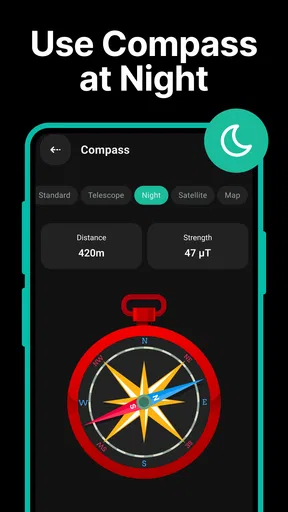
The design of the app is straightforward, which I genuinely appreciate. The main screen displays a large compass dial, making it super easy to read. Whether you’re navigating through dense woods or wandering around a new city, the app ensures you won’t need to squint at your screen. The colors are bright and contrast well with the compass needle, making it visible in various lighting conditions.
One of the standout features is the app's simplicity. There are no unnecessary frills or distractions—just a solid compass that points you in the right direction. You can also toggle between different modes such as magnetic north and true north, depending on your needs.
Features that Stand Out
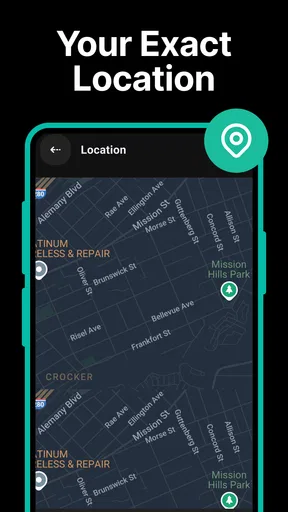
So, what sets Digital Compass apart from other similar apps? For starters, it includes a GPS map that shows your current location, allowing you to get a better sense of your surroundings. This feature is especially handy if you're in an unfamiliar place and need a quick overview of the area.
The app also offers altitude information, which is a neat addition if you're hiking in the mountains and want to keep track of your elevation. And for those who love sharing their adventures, the app allows you to take screenshots of your location and share them with friends or on social media.
Another cool feature is the ability to save your favorite locations. If you find a spot you want to return to, simply save it in the app, and you can navigate back to it easily later on.
Performance and Reliability
In terms of performance, the app is pretty spot-on. It’s responsive and quick to update as you move around, which is crucial when you’re trying to navigate on the go. I tested it in various locations, from bustling city streets to secluded hiking trails, and it consistently delivered accurate readings.
Battery usage is also minimal, which is a relief. There’s nothing worse than an app that drains your battery when you need it most. With Digital Compass, you can keep it running in the background without worrying about needing a charger before the day is done.
The Final Verdict
Overall, the Digital Compass app is a reliable and user-friendly tool that I’d recommend to anyone who needs a trusty navigation aid. Whether you’re an avid hiker, a frequent traveler, or just someone who wants to avoid getting lost, this app delivers on its promises.
So, if you’re looking for a straightforward, no-nonsense compass app that gets the job done, give Digital Compass a try. It’s like having a mini navigator in your pocket, ready to point you in the right direction whenever you need it. Happy exploring!
Pros
- Accurate directional guidance.
- User-friendly interface.
- Includes GPS and maps.
- Customizable settings.
- Works offline.
Cons
- Ads can be intrusive.
- Limited to basic features.
- No night mode available.
- Requires device's sensors.
- May drain battery quickly.
FAQs for Digital Compass for Android
What features does the Digital Compass app offer?
The Digital Compass app provides users with a precise and easy-to-read compass interface. It includes additional features such as GPS coordinates, magnetic and true north readings, and a map view for enhanced navigation. Users can also access altitude information and sunrise/sunset timings, making it a comprehensive tool for outdoor enthusiasts.
Is the Digital Compass app accurate and reliable?
Yes, the Digital Compass app is designed to be highly accurate and reliable. It uses your device's built-in sensors to provide precise compass readings. For optimal accuracy, it is recommended to calibrate your device regularly and ensure it is free from magnetic interference.
Does the Digital Compass app require an internet connection?
No, the Digital Compass app does not require an internet connection to function. It uses your device's internal sensors to determine direction and position. However, some features like map view or GPS coordinates may require a data connection to provide updated information.
How user-friendly is the Digital Compass app for beginners?
The Digital Compass app is designed with a user-friendly interface, making it accessible even for beginners. It features intuitive controls and clear displays, ensuring users can easily navigate and understand the information provided. The app also includes helpful tips and guides to assist new users in getting started.
Are there any customization options available in the Digital Compass app?
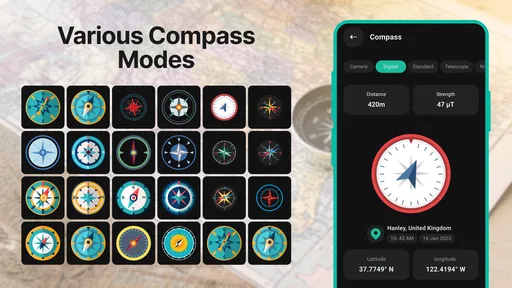
Yes, the Digital Compass app offers several customization options. Users can choose from different compass styles and themes to suit their preferences. The app also allows customization of unit measurements for altitude and coordinates, providing a personalized experience tailored to individual needs.


